Knowledge Base
Troubleshooting - Node
Did I install the Dynoscale Agent Correctly?
Install dynoscale-node with the getting started instructions. The package requires Node.js 18 or newer. Setup details are in the dynoscale-node repository. To confirm the install run:
heroku run node -e "console.log(require('dynoscale-node').VERSION)"
Is My Application Sending Queueing Data?
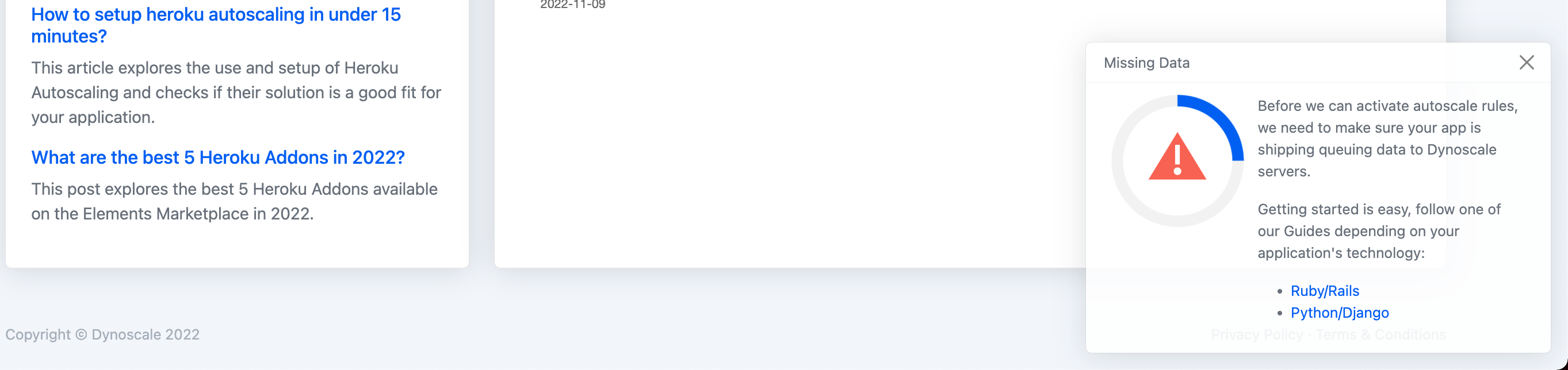
Navigate to the Dashboard page, if you see the modal like in the picture above then Dynoscale is not receiving your application queuing data. Mount dynoscale() before your routes, then trigger an http request to your application.
The agent publishes from the dyno whose name ends in .1, normally web.1. DYNOSCALE_URL must be set, which the add-on does. Any value of SKIP_DYNOSCALE_AGENT, including an empty one, turns the agent off. A request without the Heroku X-Request-Start header is still served, and that request is not sampled.